What User Activities does
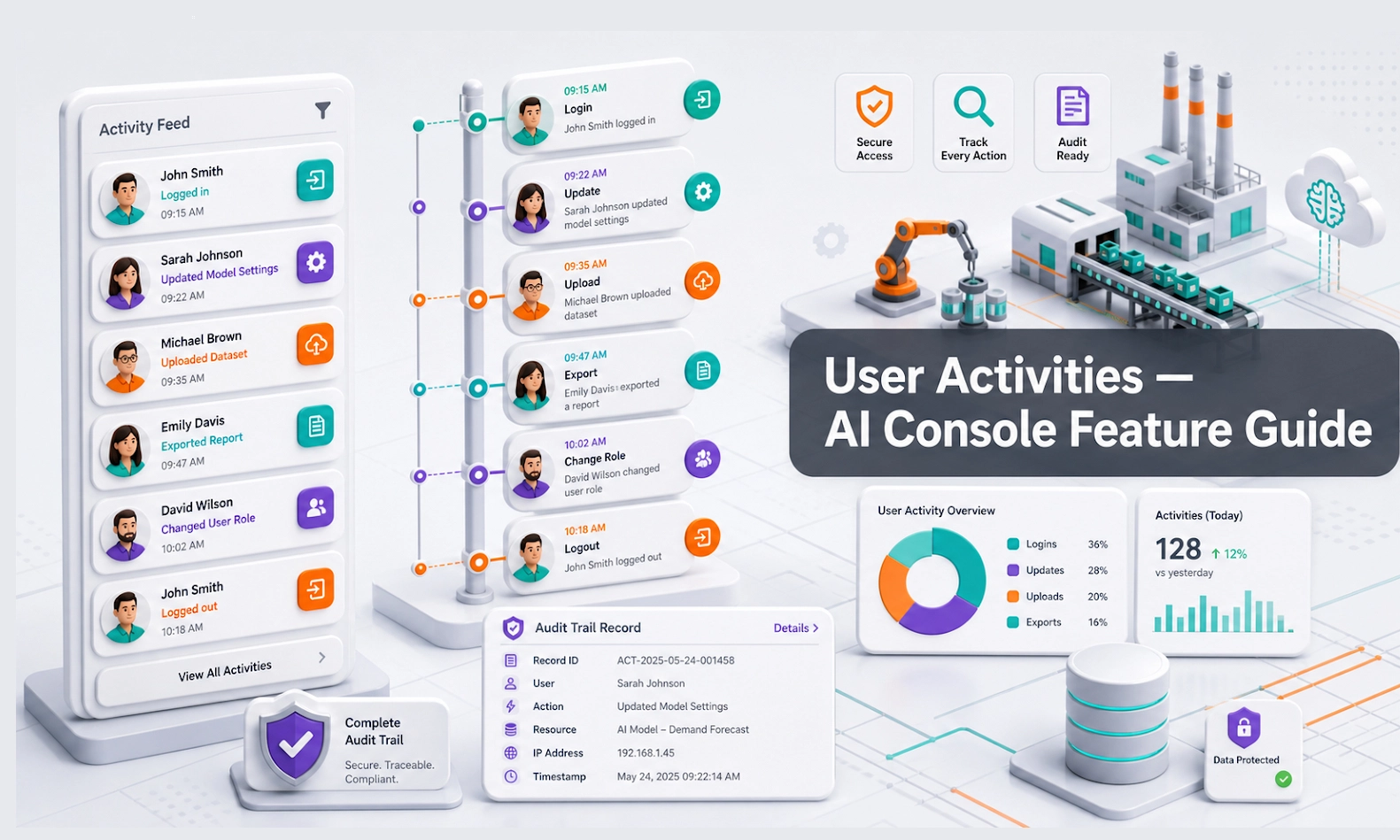
User Activities shows activity signals from customers, AI conversations, and console users depending on your account setup. It helps managers understand whether the AI Agent is being used, whether the team is reviewing important items, and where follow-up may be delayed.
For an AI webstore or equipment business, this feature is useful for checking customer engagement, team usage, lead follow-up habits, and operational accountability.
Who should use this feature
Use User Activities if you are an owner, manager, operations lead, sales manager, customer service lead, or admin responsible for monitoring adoption and follow-up.
When to use it
Use this feature after the AI Agent goes live. It is most useful during the first few weeks of launch, after new team members join, after new integrations are added, or when managers want to know whether the team is using the console properly.
Before you start
Decide what activity matters to your business. Do not monitor everything equally.
Useful activity signals may include:
- number of customer conversations
- new leads created
- conversations reviewed by team members
- human takeovers
- follow-up actions
- team login or usage activity
- high-intent enquiries
- missed or delayed follow-ups
- channel source activity
Step-by-step guide
- Open User Activities from the console menu.
- Select the date range you want to review.
- Check customer activity first, such as conversations, enquiries, or lead activity.
- Check team activity to understand whether staff are reviewing and acting on AI-generated items.
- Look for delays, missed follow-ups, or unreviewed conversations.
- Compare activity with Leads, Deals, and Conversations if something looks unusual.
- Identify which team member, branch, or workflow needs attention.
- Take action. This may mean assigning follow-up, retraining the AI, updating scenarios, or reminding the team about the review process.
- Review activity weekly to build a consistent operating rhythm.
What good looks like
Good activity data should help managers see whether the AI Agent is creating useful work and whether the team is acting on it.
Good signs include:
- new conversations are being reviewed
- leads are followed up quickly
- team members use the console regularly
- handover conversations are not ignored
- managers can identify bottlenecks
- high-intent enquiries are not missed
Example workflow
After launching the AI Agent on your webstore, the operations manager checks User Activities and sees many conversations after working hours. The sales manager then adjusts the daily workflow so the team reviews overnight leads every morning before starting other tasks.
Common problems and what to check
Activity is low. Check whether the AI Agent is connected to a live channel and whether customers can see it.
Customer activity is high but team activity is low. Managers should assign clear responsibilities for reviewing Conversations and Leads.
Many leads are created but few deals move forward. Review lead quality, sales follow-up, and deal ownership.
The same issue appears repeatedly. Fix the root cause in Agent Setup, Knowledge Base, Inventory, or Scenarios.
Managers are unsure what to measure. Start with a simple weekly review: conversations, leads, handovers, follow-up speed, and deals created.
Best practices
Use User Activities to coach the workflow, not to blame the team. The goal is to find where the process breaks: missing knowledge, unclear ownership, weak handover, or slow follow-up. Keep the review simple and consistent.
Done checklist
- You know which activity signals matter.
- You can review customer and team activity.
- You can identify unreviewed or delayed follow-ups.
- You know when to check Conversations, Leads, or Deals for more detail.
- Your team has a weekly activity review habit.
Next recommended guide
Continue with Billing to understand your subscription, usage, credits, and account cost visibility.