What Conversations does
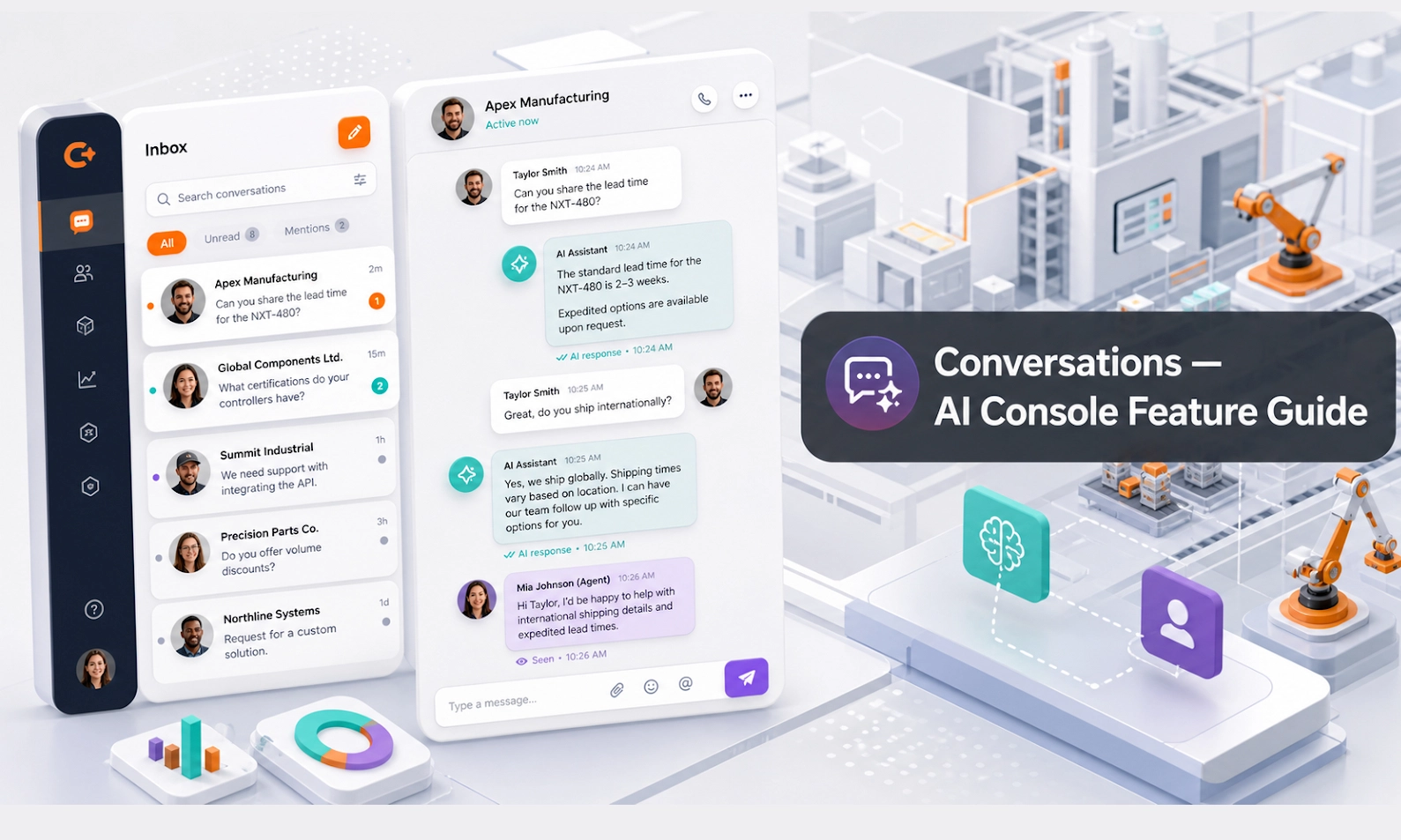
Conversations is where you see the chats between customers and your AI Agent. It helps your team understand what customers are asking, what the AI answered, whether a lead was created, and whether a human should step in.
This feature is important because AI should not be left unsupervised forever. Your best improvements will usually come from reviewing real conversations and fixing the patterns you see.
Who should use this feature
Use Conversations if you are a sales manager, rental coordinator, customer support agent, branch manager, operations lead, or admin user responsible for reviewing customer enquiries.
When to use it
Use this page daily after the AI Agent goes live. Also use it after updating Agent Setup, Knowledge Base, Inventory, or Scenarios so you can confirm whether the changes improved real customer conversations.
Before you start
Make sure you know what your team considers a good conversation. For example, a good rental enquiry should usually include machine type, job site location, rental date, rental duration, capacity requirement, customer name, phone number, and next step.
Step-by-step guide
- Open Conversations from the console menu.
- Use filters if available. You may filter by status, agent, channel, date, branch, customer, or handover status.
- Open a conversation that needs review.
- Read the customer's first message. Identify the customer's intent: product question, rental enquiry, quote request, spare parts, service support, complaint, or general question.
- Check the AI response. Confirm whether it was accurate, clear, and useful.
- Look for missing information. Did the AI collect the right customer details before handing over?
- Check whether the conversation created a lead or deal if it should have.
- If the customer needs a human response, take over or assign the follow-up to the right team member.
- If the AI gave a weak answer, note the reason. The fix usually belongs in Agent Setup, Knowledge Base, Inventory, or Scenarios.
- Repeat this review for flagged conversations and high-value enquiries first.
What to look for during review
A strong conversation should have a clear customer intent, useful AI follow-up questions, accurate business information, and a practical next step.
Review carefully when you see:
- the customer asked for price, availability, quotation, or urgent service
- the AI could not answer confidently
- the conversation was flagged for human takeover
- the customer repeated the same question several times
- the customer left without providing contact details
- the AI promised something that should require human approval
Example workflow
A customer asks, "Do you have a 3-ton forklift for rent next week?" The AI asks for location, rental period, lift height, delivery needs, and contact details. The conversation is then marked as a qualified rental enquiry. Your sales team opens Conversations, reviews the chat, and follows up with a proper quotation.
Common problems and what to check
The AI answer is inaccurate. Update the Knowledge Base or Inventory data, then test the same question in Playground.
The AI did not ask enough questions. Improve Agent Setup or Scenarios so the agent follows a clearer qualification flow.
The conversation did not become a lead. Check lead capture settings and whether the AI asked for contact details.
Too many conversations require takeover. Review whether your AI rules are too strict, whether knowledge is missing, or whether scenarios are incomplete.
Your team is not following up. Assign clear ownership for lead review and add a daily conversation review routine.
Done checklist
- You can filter and open conversations.
- You know how to identify conversations that need human action.
- You can tell whether an issue should be fixed in Agent Setup, Knowledge Base, Inventory, or Scenarios.
- Your team has a routine for reviewing flagged and high-value conversations.
Next recommended guide
Continue with Playground so you can test fixes before customers see them.