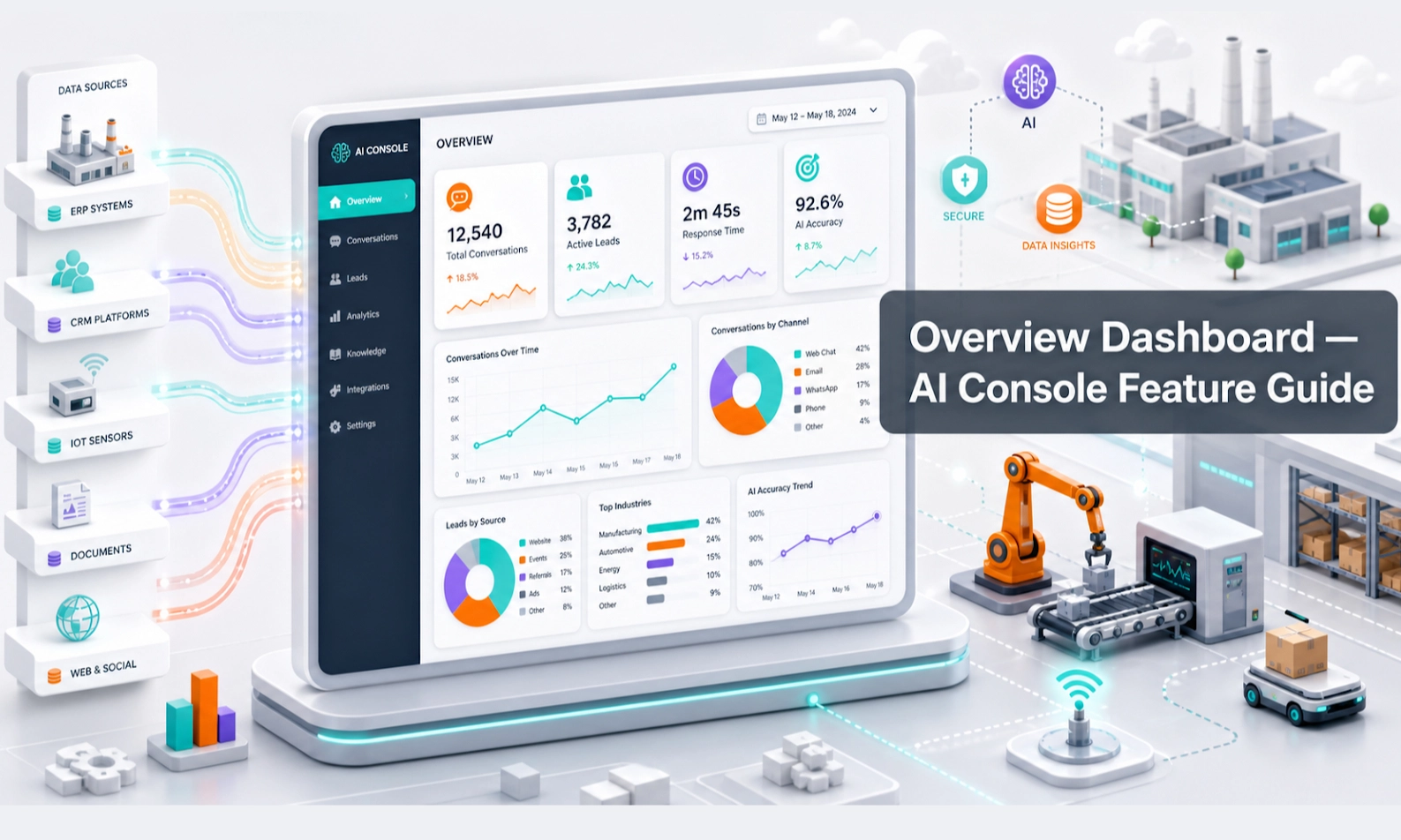
What the Overview Dashboard does
The Overview Dashboard is the daily control room for your Antbuildz AI Console. It gives your team a quick view of what the AI Agent is doing, which enquiries are coming in, where follow-up is needed, and whether the agent is helping your sales or rental workflow.
For an AI webstore or equipment business, this page helps you answer five practical questions:
- How many customer conversations happened?
- How many leads were captured?
- Which conversations need human follow-up?
- Which products, equipment, or services are getting attention?
- Are there any issues that need action today?
Who should use this feature
Use the Overview Dashboard if you are an owner, sales manager, rental manager, operations lead, branch manager, or admin user responsible for checking AI Agent performance.
When to use it
Open the dashboard at the start of the day, before sales meetings, after a campaign launch, or whenever you want to check whether the AI Agent is producing useful customer activity.
Before you start
Make sure your AI Agent has already been connected to at least one customer channel, such as your webstore chat, website widget, or WhatsApp integration. The dashboard becomes more useful after real customer conversations, leads, inventory records, and deal activity have started flowing into the console.
Step-by-step guide
- Open the Overview Dashboard from the left-side console menu.
- Check the date range or filter settings if available. Use today, this week, or this month depending on what you want to review.
- Review the main numbers, such as total conversations, new leads, active deals, open follow-ups, or usage activity.
- Look for warning signs. Examples include many unanswered enquiries, many handovers, low lead capture, or repeated product questions with no clear answer.
- Click into the related module when you need details. For example, open Conversations to read a chat, Leads to follow up with a customer, or Knowledge Base if the AI gave a weak answer.
- Decide the next action. Assign follow-up, improve AI knowledge, update inventory, or test the scenario in Playground.
- Repeat this review regularly. A good dashboard habit prevents small AI issues from becoming customer service problems.
What good looks like
A well-managed dashboard should help your team understand customer demand quickly. You should be able to see whether the AI Agent is creating leads, reducing repeated questions, and helping your team respond faster.
Good signs include:
- customer conversations are being captured clearly
- leads are appearing with contact details and enquiry context
- handover conversations are easy to identify
- product or rental enquiries are visible
- managers can move from dashboard numbers into the right follow-up module
Example workflow
A customer visits your AI webstore and asks about renting a forklift for a warehouse job. The AI Agent asks for load capacity, lift height, rental period, location, and contact details. Later, the dashboard shows a new conversation and lead. The manager opens the lead, checks the details, and assigns a salesperson to follow up.
Common problems and what to check
The dashboard looks empty. Check whether your AI Agent is connected to a live customer channel. Also check the selected date range and whether your account has permission to view the data.
The numbers look wrong. Confirm that the correct branch, agent, or time period is selected. If your team uses multiple channels, check whether all channels are connected properly.
There are many handovers. This usually means the AI Agent needs clearer rules, better knowledge, or a more complete scenario flow. Review Conversations, Knowledge Base, Agent Setup, and Playground.
There are many conversations but few leads. Check whether the agent is asking for contact details at the right moment. Review Lead settings and Scenarios.
Done checklist
- You know where to find the main activity numbers.
- You can identify conversations or leads that need follow-up.
- You know which module to open when a dashboard number needs more detail.
- You have a daily or weekly review routine for the AI Agent.
Next recommended guide
After reviewing the dashboard, continue with Agent Setup so you can control how the AI Agent behaves before customers interact with it.