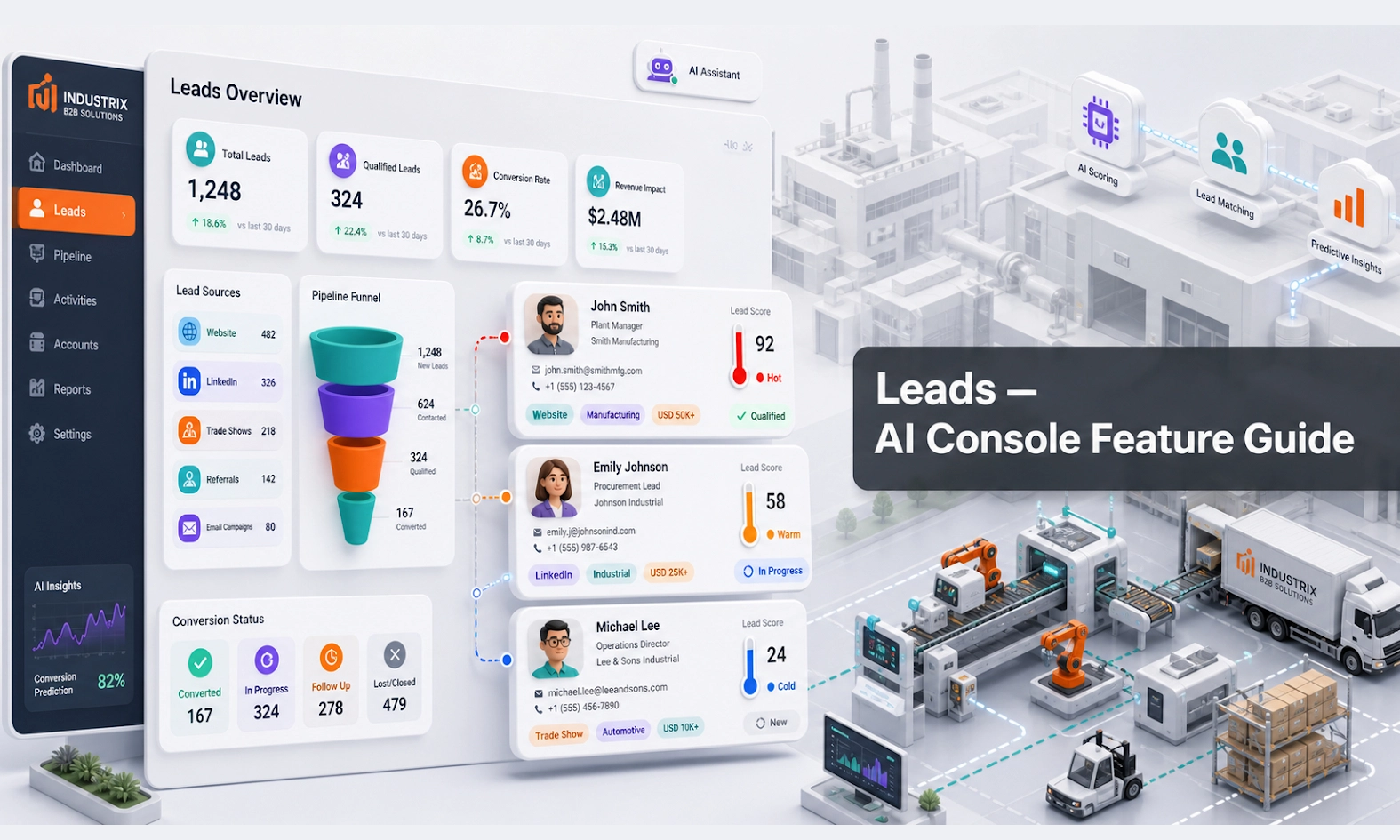
What Leads does
Leads stores potential customer opportunities collected from AI conversations, forms, webstore activity, or connected channels. A lead usually means the customer has shown interest and your team may need to follow up.
For an AI webstore or equipment business, Leads helps your team avoid losing enquiries that come in after hours, during busy periods, or through multiple channels.
Who should use this feature
Use Leads if you are a sales manager, rental coordinator, sales representative, branch manager, customer service user, or admin responsible for follow-up.
When to use it
Use Leads every day after the AI Agent is live. Check it especially after weekends, campaigns, product launches, rental promotions, or high-traffic periods.
Before you start
Decide what information your team needs before a lead is considered useful.
For equipment or AI webstore enquiries, useful lead fields may include:
- customer name
- company name
- phone number
- email address
- product or equipment requested
- rental or purchase intent
- location
- required date
- urgency
- budget or quantity if relevant
- conversation summary
- source channel
- assigned owner
- lead status
Step-by-step guide
- Open Leads from the console menu.
- Review new leads first. These are the enquiries that may need fast action.
- Open a lead and check the captured details.
- Read the conversation summary or linked chat if available.
- Decide whether the lead is qualified, incomplete, duplicate, or not relevant.
- Assign the lead to the correct team member, branch, or department.
- Update the lead status. Example: New, Contacted, Qualified, Quotation Needed, Not Suitable, or Converted.
- Add notes after follow-up so the next person understands what happened.
- Convert the lead into a deal when there is a real sales or rental opportunity.
- Review unassigned or untouched leads regularly so no enquiry is missed.
What good looks like
A good lead record should allow a salesperson to follow up without rereading the entire conversation from zero.
Good signs include:
- contact details are captured
- customer intent is clear
- requested product or service is listed
- urgency and location are included when relevant
- lead source is visible
- lead owner is assigned
- next step is obvious
Example workflow
A customer asks the AI Agent about renting an excavator for a construction site. The AI collects the location, rental period, machine size, contact details, and urgency. A new lead is created. The sales manager opens Leads, assigns it to a rental salesperson, and changes the status to Quotation Needed.
Common problems and what to check
Leads are missing contact details. Update Agent Setup or Scenarios so the AI asks for name, phone, and email at the right point.
Too many low-quality leads are created. Adjust the lead qualification rules. Not every casual question should become a sales lead.
Leads are not assigned. Create a clear ownership process by branch, product category, or customer type.
The same customer appears multiple times. Check whether duplicate handling is available, and ask the team to review similar names, phone numbers, or emails before follow-up.
Sales team ignores AI leads. Add lead review to the daily sales routine and make ownership visible.
Best practices
Review leads quickly. Speed matters when a customer is comparing suppliers. Keep statuses simple so the team actually updates them. Do not create too many lead stages at the start. It is better to have a simple process that people use than a complex process that gets ignored.
Done checklist
- Required lead fields are clear.
- New leads can be reviewed daily.
- Lead statuses are simple and useful.
- Leads can be assigned to the right owner.
- Qualified leads can move into Deals.
- Missing lead details are fixed through Agent Setup or Scenarios.
Next recommended guide
Continue with Deals so your team can manage qualified opportunities after the first lead is captured.