Launching your Antbuildz AI Agent is not the final step.
It is the start of the improvement process.
Your AI Agent may already be connected to your Webstore data, product catalogue, FAQs, business rules, and knowledge base. It may be able to answer common customer questions, explain products, capture lead details, and support rental or sales enquiries.
But no AI Agent is perfect on day one.
Customers will ask questions you did not expect. Some product pages may not have enough information. Some FAQs may be missing. Some workflows may not collect enough details. Some answers may be too general. Some handover notes may not be useful enough for your sales team.
That is normal.
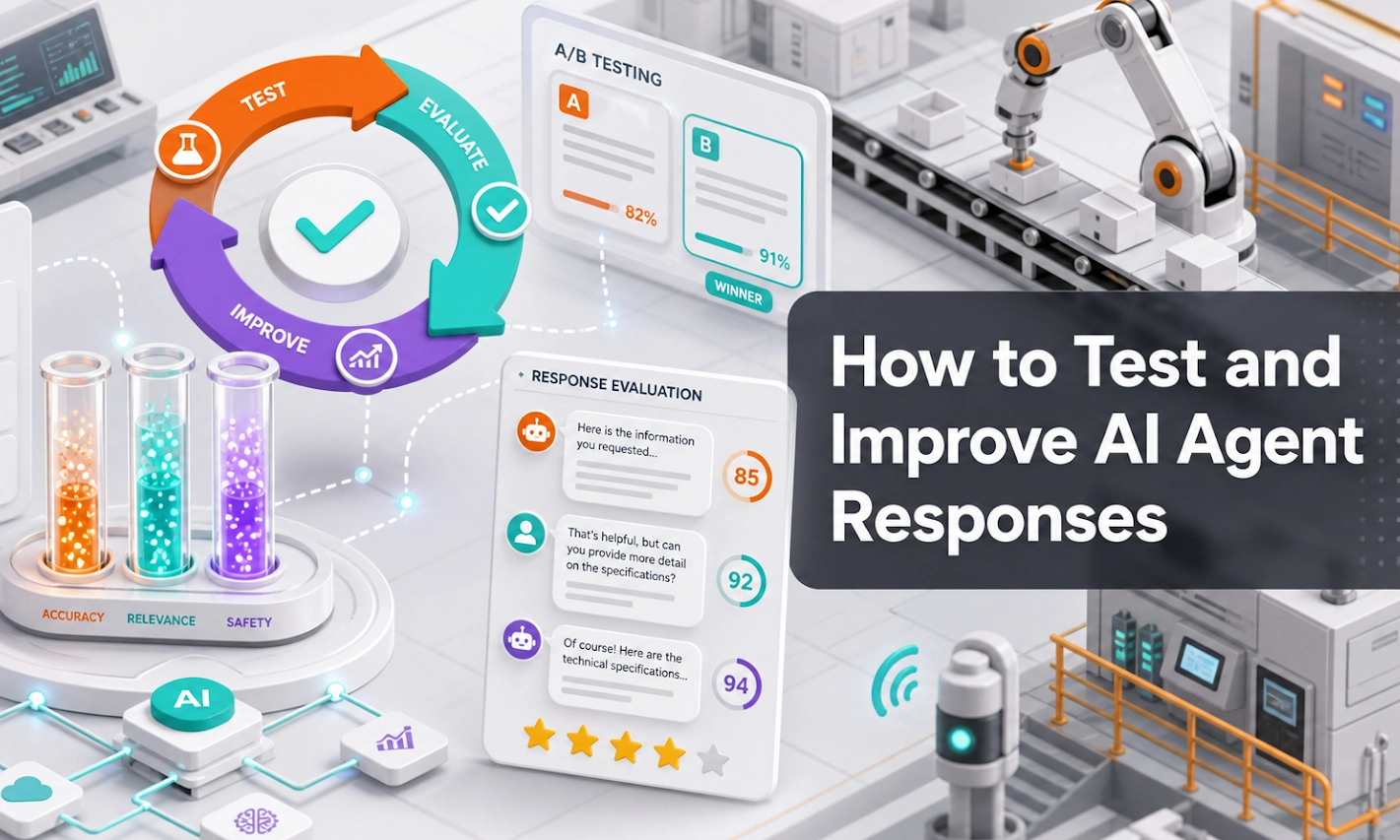
The goal is not to launch a perfect AI Agent immediately. The goal is to test it with real business scenarios, identify gaps, improve the knowledge base, refine the workflow, and make the AI Agent more useful over time.
This guide explains how Antbuildz subscribers can test and improve their AI Agent responses properly.
The Right Mindset: Test Like a Customer, Improve Like an Operator
Testing is not about trying to embarrass the AI.
Testing is about making sure the AI Agent is ready to represent your business.
Your AI Agent may become the first sales touchpoint for website visitors, Webstore customers, campaign traffic, after-hours enquiries, overseas buyers, and multilingual customers.
That means the AI Agent must do more than sound polite.
It should:
Understand what the customer is asking
Use the correct business knowledge
Ask useful follow-up questions
Avoid unsupported claims
Capture lead details
Identify rental or buying intent
Follow the correct workflow
Know when to guide the customer to sales follow-up
Good testing helps you find where the AI Agent is strong and where your business information needs improvement.
Step 1: Prepare a Real Customer Question List
Start with real questions, not imaginary perfect questions.
Do not only test questions like:
“What products do you offer?”
Your customers usually ask messy, short, incomplete, or unclear questions.
For example:
“Do you have forklift?”
“How much rental?”
“Can deliver to Johor?”
“Need generator for site.”
“Which lift can use indoor?”
“Do you have spare part for this model?”
“Can I rent first and buy later?”
These are the types of questions your AI Agent must handle.
Create a list of 30 to 50 test questions from:
Past WhatsApp enquiries
Website form enquiries
Sales team conversations
Customer emails
Product page questions
Common quotation requests
Repeated customer objections
Rental and sales enquiries
Spare parts and service questions
The best test questions come from real customers.
Step 2: Test the Main Enquiry Types
Your AI Agent should not only answer general questions.
It should support different industrial B2B enquiry workflows.
Test these categories.
1. Product Understanding Questions
These questions test whether the AI Agent can explain products clearly.
Examples:
“What is this product used for?”
“Is this suitable for indoor warehouse use?”
“What does working height mean?”
“What is the difference between these two models?”
“Can this machine handle heavy-duty site work?”
A good response should explain the product in simple language, mention key considerations, and ask follow-up questions when the customer’s requirement is incomplete.
2. Rental Enquiries
Rental enquiries usually need specific information before the sales team can follow up.
Test questions like:
“Do you have forklift rental?”
“Can I rent a scissor lift next week?”
“How much is monthly rental?”
“Can you deliver to my site?”
“What is the minimum rental period?”
The AI Agent should ask about rental duration, start date, location, delivery requirement, usage purpose, product type, and contact details.
If it only gives a general reply, the workflow needs improvement.
3. Sales Enquiries
Sales enquiries require different information from rental enquiries.
Test questions like:
“Do you sell this model?”
“Can I buy a used forklift?”
“What is the price if I buy two units?”
“Can you recommend a generator for factory use?”
“What options do you have for purchase?”
The AI Agent should ask about quantity, specification, budget range, buying timeline, delivery location, model preference, and buying intent.
The AI should not mix up rental and sales workflows.
4. Spare Parts, Tools, and Accessories Enquiries
Spare parts enquiries are sensitive because compatibility matters.
Test questions like:
“Do you have tyre for this model?”
“I need a replacement battery.”
“Can you help me find a hydraulic filter?”
“Do you have parts for this machine?”
“I do not know the part number. Can you help?”
The AI Agent should ask for brand, model, serial number, part number if available, photo, quantity, urgency, and delivery location.
It should not guess critical compatibility if the data is unclear.
5. Service and Support Questions
If your business provides service or support, test those workflows too.
Examples:
“My machine is not working.”
“Can you arrange service?”
“Do you provide maintenance?”
“There is an error code. What should I do?”
“Can your technician come to site?”
The AI Agent should collect machine type, brand, model, issue description, error code, location, urgency, photo if available, and contact person.
For complex repair or safety-sensitive issues, the AI Agent should guide the customer to human review.
6. Pricing and Quotation Questions
Pricing questions are common but must be handled carefully.
Test questions like:
“How much?”
“Can you quote me?”
“What is the rental price?”
“Any discount?”
“Can I get bulk pricing?”
The AI Agent should not randomly invent prices. It should follow your approved pricing rules, explain what information is needed, and collect product, quantity, location, rental duration, timeline, and contact details.
For special pricing, discount, or custom terms, it should prepare the enquiry for sales follow-up.
7. Delivery, Location, and Availability Questions
Location and availability are important in industrial B2B.
Test questions like:
“Do you deliver to Johor?”
“Is this available in Singapore?”
“Can I get it tomorrow?”
“Which branch is nearest?”
“Can you support overseas enquiry?”
The AI Agent should use your service area, location data, delivery rules, and availability-related information if available.
If final stock or delivery confirmation is not reliable, it should not overpromise. It should collect the requirement and prepare the enquiry for confirmation.
8. Vague or Incomplete Questions
This is one of the most important tests.
Real customers often ask vague questions.
Examples:
“Need machine.”
“How much?”
“Can use indoor?”
“Got stock?”
“Can recommend?”
A weak AI Agent will guess.
A good AI Agent asks clarifying questions.
It should identify what information is missing and guide the customer step by step.
Step 3: Score the AI Agent Response
Do not only ask, “Was the answer good?”
Use a simple scoring method.
| Review Area | Question to Ask |
|---|---|
| Accuracy | Did the AI use correct business information? |
| Clarity | Was the answer easy for the customer to understand? |
| Relevance | Did it answer the actual question? |
| Follow-up | Did it ask the right next question? |
| Workflow | Did it follow the correct rental, sales, spare parts, service, or pricing flow? |
| Lead capture | Did it collect useful customer details? |
| Deal intent | Did it identify urgency, timeline, buying or rental intent? |
| Business rules | Did it avoid unsupported claims? |
| Handover quality | Would the sales team know what to do next? |
You can score each response as:
Good
Needs improvement
Wrong or risky
This makes testing easier and more consistent.
Step 4: Identify the Type of Problem
When the AI Agent gives a weak answer, do not immediately assume the AI model is bad.
Most weak responses come from one of five problems.
1. Missing Knowledge
The AI Agent cannot answer well because the knowledge base does not contain the answer.
Example:
Customer asks about delivery to a specific area, but the service area is not documented.
Fix:
Add service area information into the knowledge base or Webstore content.
2. Outdated Information
The AI Agent uses old information because the source is outdated.
Example:
The catalogue shows an old model or old rental term.
Fix:
Update the product data, FAQ, policy, or agreement information.
3. Conflicting Information
Different documents say different things.
Example:
One file says minimum rental is one day, another says one week.
Fix:
Remove conflict and create one approved source.
4. Weak Workflow
The AI Agent answers but does not ask the right follow-up questions.
Example:
Customer asks for rental, but the AI does not ask for rental duration or location.
Fix:
Update the enquiry workflow and required questions.
5. Poor Agent Behaviour Instruction
The AI Agent may answer too long, too short, too formal, too vague, or too passive.
Fix:
Adjust agent behaviour settings so the response style matches your business.
Step 5: Improve the Correct Area
Testing is only useful if it leads to improvement.
When you find a weak response, fix the right source.
| Problem | What to Improve |
|---|---|
| Wrong product answer | Product data or specifications |
| Missing policy answer | FAQ, policy, or agreement knowledge |
| Poor rental enquiry handling | Rental workflow |
| Poor sales enquiry handling | Sales workflow |
| Weak spare parts response | Compatibility data and spare parts workflow |
| Too much guessing | Agent behaviour and business rules |
| Incomplete lead capture | Required enquiry fields |
| Weak sales handover | Handover instructions |
| Confusing explanation | Product description or FAQ wording |
The point is simple:
Do not only correct the answer.
Correct the system behind the answer.
Step 6: Test With Real Customer Journeys
Do not only test single questions.
Test full conversations.
For example:
Customer: “Do you have forklift?”
AI Agent: “Are you looking to rent or buy?”
Customer: “Rent.”
AI Agent: “May I know the rental duration, location, and lifting capacity?”
Customer: “One month in Johor. Around 3 ton.”
AI Agent: “Do you prefer diesel, electric, or lithium forklift for indoor or outdoor use?”
Customer: “Indoor warehouse.”
AI Agent: “Understood. May I get your company name and contact number for quotation follow-up?”
This type of test is more useful because it checks whether the AI Agent can manage a real sales flow.
A good AI Agent should not only answer the first question. It should move the conversation forward.
Step 7: Test the Handover Quality
The final test is handover quality.
If the AI Agent captures a lead, ask:
Would my sales team know what to do next?
A weak handover looks like this:
Customer asked about forklift.
A strong handover looks like this:
Customer is looking for forklift rental for indoor warehouse use in Johor. Required for one month. Estimated 3-ton capacity. Delivery required next week. Customer requested quotation follow-up and provided contact details.
That is the difference.
Good testing should check whether the AI Agent prepares enough context for the sales team.
Step 8: Involve the Sales Team
Your sales team should be part of testing.
They know what customers actually ask. They know which information matters before quotation. They know which answers build confidence. They know which questions are usually missing from weak enquiries.
Ask your sales team to review:
Common customer questions
AI Agent answers
Missing follow-up questions
Lead quality
Handover quality
Product recommendation quality
Pricing and quotation handling
This makes the AI Agent more aligned with real sales operations.
The AI Agent should support the sales team, not operate separately from them.
Step 9: Use AI Console for Continuous Improvement
Antbuildz AI Console helps subscribers improve the AI Agent over time.
Use AI Console to update:
Knowledge base content
FAQs
Product data
Agent behaviour
Enquiry workflows
Required questions
Lead capture rules
Deal intent signals
Handover instructions
Conversation review notes
If customers keep asking a question that the AI Agent cannot answer well, add it to the knowledge base.
If leads are missing important details, improve the workflow.
If the AI Agent gives a risky answer, update the business rules.
This is how the AI Agent becomes stronger over time.
Step 10: Create a Monthly Test Script
A test script is a fixed list of questions you use every month to check AI Agent quality.
Start with 30 questions.
Include:
5 product questions
5 rental questions
5 sales questions
5 pricing or quotation questions
5 vague or incomplete questions
5 spare parts, service, delivery, or technical questions
Run this test after major updates.
For example, test again when you add new products, change rental terms, update pricing rules, launch a campaign, or change your enquiry workflow.
This helps maintain quality as your business changes.
Recommended Testing Routine
| Frequency | What to Do |
|---|---|
| Before launch | Test 30 to 50 common questions |
| After knowledge update | Retest the changed area |
| Weekly | Review real conversations and weak answers |
| Monthly | Run a fixed test script |
| Quarterly | Audit product data, FAQs, workflows, and business rules |
This routine is simple but effective.
You do not need to overcomplicate testing.
You just need to test regularly and improve the right source.
What Good AI Agent Responses Should Look Like
A good AI Agent response should be accurate, clear, helpful, and commercially useful.
It should not only answer the question.
It should guide the customer toward the next step.
For example, if the customer asks:
“How much is forklift rental?”
A weak response is:
“Forklift rental price depends on the model. Please contact sales.”
A better response is:
“Forklift rental price depends on the capacity, rental duration, location, delivery requirement, and forklift type. May I know whether you need diesel, electric, or lithium forklift, where the project location is, and how long you need to rent it?”
The second response is better because it moves the enquiry forward.
What the AI Agent Should Not Do
A good AI Agent should stay within approved business rules.
It should not invent product specifications, guess spare part compatibility when data is unclear, confirm final stock unless inventory data is reliable, promise delivery dates without business confirmation, decide special pricing without approved rules, make legal or contractual commitments outside approved terms, or provide unsafe technical diagnosis for complex cases.
If information is unclear, the AI Agent should ask follow-up questions or prepare the enquiry for human review.
Testing should check for these risks.
FAQ
1. When should I test my AI Agent?
Test before launch, after major knowledge updates, after adding new products, after changing policies, and after changing enquiry workflows.
You should also review real conversations weekly.
2. How many questions should I test?
Start with 30 to 50 questions.
Cover product questions, rental enquiries, sales enquiries, pricing, delivery, spare parts, service, vague questions, and edge cases.
3. What should I do if the AI Agent gives a wrong answer?
Identify why the answer was wrong.
Check whether the issue came from missing knowledge, outdated product data, conflicting information, weak workflow, or unclear agent behaviour.
Then update the correct source and test again.
4. Should I test only correct product questions?
No.
You should also test vague, incomplete, unusual, and difficult questions because real customers do not always ask perfect questions.
5. Should the sales team help with testing?
Yes. The sales team knows real customer questions, important qualification details, and what information is needed before quotation.
Their feedback is important for improving response quality and lead quality.
6. How do I know if the AI Agent is improving?
You should see better answers, fewer repeated weak responses, better lead capture, clearer handover notes, and fewer cases where the sales team needs to restart the conversation from zero.
7. Can testing improve lead quality?
Yes. Testing helps identify missing questions, weak workflows, and poor handover details.
When these are improved, the AI Agent can capture better enquiries for the sales team.
8. Is testing a one-time task?
No. Testing should be ongoing.
Your products, pricing rules, rental terms, customer questions, and business policies will change over time. Your AI Agent should improve with those changes.
Conclusion
Testing your Antbuildz AI Agent is not a technical task only.
It is a business quality task.
The goal is to make sure your AI Agent answers correctly, asks useful follow-up questions, follows the right workflow, captures lead details, identifies deal intent, and prepares better enquiries for your sales team.
A strong AI Agent is not created by launch alone.
It is created through testing, review, knowledge base updates, workflow refinement, and real customer feedback.
Start simple.
Prepare real customer questions. Test the main enquiry types. Review weak answers. Update the correct source. Retest again.
That is how your Antbuildz AI Agent becomes more accurate, more useful, and more aligned with your business over time.