What is an AI after-sales support agent for industrial businesses?
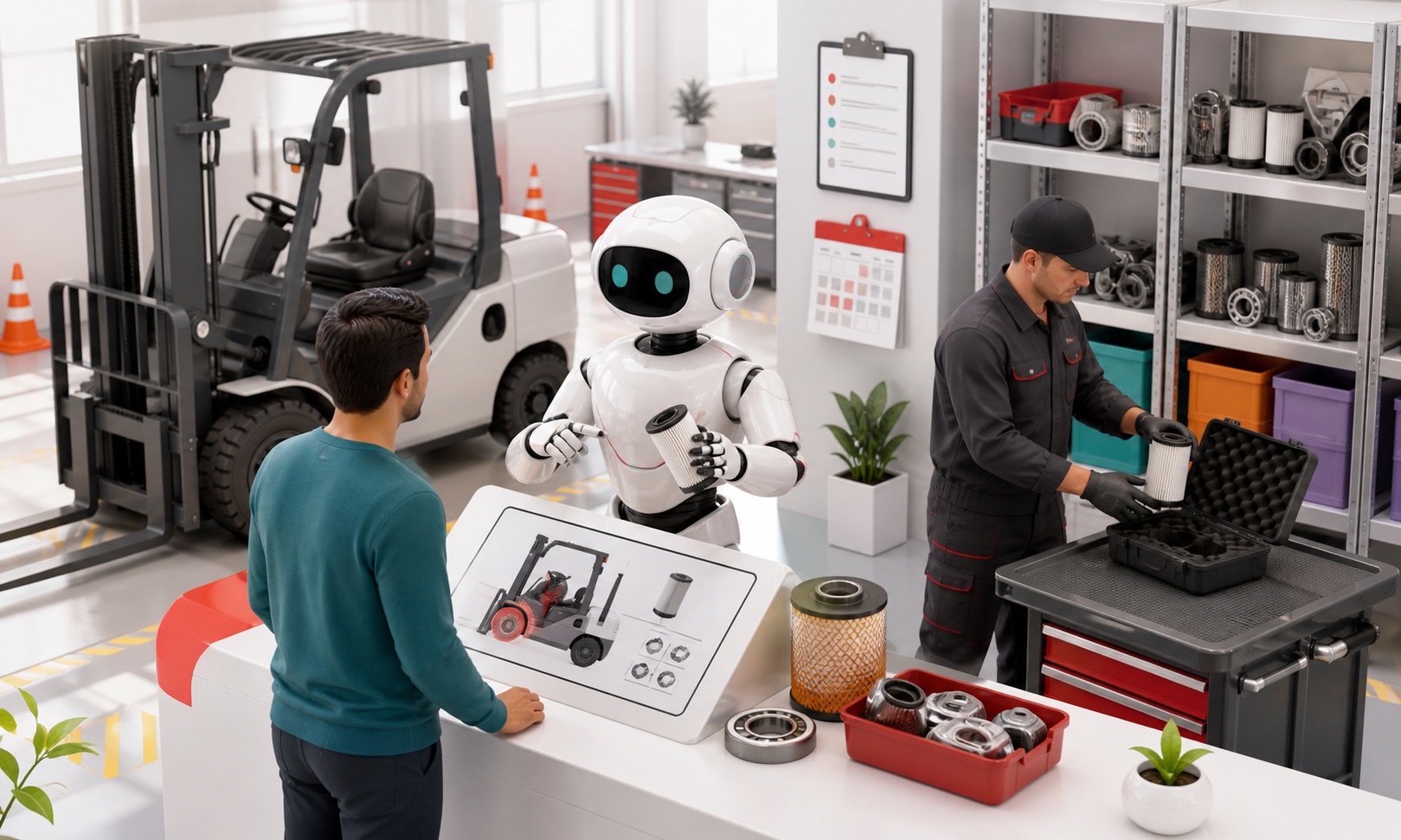
An AI after-sales support agent helps customers after a product has been delivered, sold, or rented. It can support maintenance questions, servicing, warranty information, parts enquiries, consumables, replacement items, troubleshooting, manuals, product identification, and compatibility checks using approved business and product knowledge.
After-sales support is not separate from the commercial relationship. A customer asking for a filter, service kit, replacement attachment, or maintenance interval may also need a repeat order, service visit, replacement product, or renewed rental. The quality and speed of the support experience affect future revenue as well as customer retention.
Antbuildz is designed for industrial product information where model, serial range, configuration, diagrams, and compatibility rules may determine the answer. It should identify the asset and retrieve evidence before presenting a part or procedure.
What does the after-sales role do?
The role starts by establishing which product or asset the customer has, what has happened, and what outcome they need. It then retrieves approved maintenance, warranty, manual, troubleshooting, parts, or compatibility information and either provides the supported next step or escalates to service, parts, or technical specialists.
It can keep the whole lifecycle connected. A troubleshooting question can become a service request; a consumable enquiry can become a repeat order; an obsolete part can trigger an approved supersession or replacement-product conversation.
After-sales workflows it can handle
The after-sales role can support these lifecycle requests when the asset and applicable approved information can be identified.
Identify a product using model, serial range, asset number, current part reference, or other approved identifiers.
Retrieve operating manuals, maintenance intervals, service instructions, and troubleshooting guidance.
Explain documented warranty information and collect the facts needed for a warranty review.
Check approved parts, consumables, accessories, replacements, supersessions, and compatibility records.
Collect service-request details including symptoms, operating context, urgency, location, and equipment status.
Escalate safety-sensitive faults, ambiguous fitment, exceptional warranty cases, or unsupported repairs.
Identify repeat-order, service, replacement, rental, or cross-sell opportunities without disrupting the support conversation.
A realistic replacement-component conversation
Customer: I need the hydraulic return filter for our 24-tonne excavator. It is a 2019 machine, but I do not have the filter part number.
Antbuildz AI agent: Please provide the manufacturer, exact model, serial number or serial range, and—if possible—a photo or reference from the current filter. The machine size and year alone are not enough to confirm fitment.
Customer: Model EX240-LC, serial ending 18462. This is for the 4,000-hour service.
Antbuildz AI agent: I will check the approved parts catalogue and service information for that model and serial context, including any superseded references. I will present a compatible option only if the source supports the fitment. If the serial range is ambiguous, I will pass the request and evidence to the parts team for confirmation.
The process is analyse the parts intent → identify the exact asset → retrieve the applicable parts and service records → check fitment and supersession → answer or escalate. The agent does not guess from a similar model name.
How Antbuildz understands after-sales information
Antbuildz can work with approved manuals, parts catalogues, exploded diagrams, serial-number tables, maintenance schedules, warranty policies, compatibility relationships, supersession records, inventory, pricing, service procedures, and company knowledge.
These sources allow the agent to connect the customer's asset to the right lifecycle information. It may identify the consumables for a service interval, find the correct manual revision, explain the documented warranty process, or check whether a replacement item is approved for the model.
It cannot guarantee that every asset or legacy document is complete. When fitment, safety, warranty, or repair information cannot be verified, the correct behaviour is to state the uncertainty and involve a qualified person.
How the after-sales flow works
The after-sales workflow keeps the exact asset, lifecycle need, and commercial context connected from question to resolution.
Ingest
Understand approved product, parts, maintenance, warranty, troubleshooting, inventory, pricing, and service knowledge.
Reason
Interpret the asset identity, symptom, lifecycle stage, service need, compatibility conditions, and commercial context.
Retrieve
Find the applicable manual, part, service interval, warranty rule, replacement relationship, inventory record, or escalation procedure.
Act
Answer, identify a supported item, collect a service request, surface a repeat-purchase opportunity, or route the case to parts, service, technical, or sales teams.
How to configure the after-sales role in Antbuildz
After-sales support works best when the agent can identify the exact asset before it retrieves maintenance, warranty, parts, or troubleshooting information. Build the role around the product lifecycle and the teams that own each next action.
Define the supported lifecycle journeys
Choose a starting scope such as manual retrieval, maintenance schedules, consumable reorders, parts identification, service intake, or warranty information. Document which requests can be answered and which require physical inspection, technical diagnosis, parts confirmation, or warranty approval.
Prepare asset and lifecycle knowledge
Add manuals, maintenance schedules, parts catalogues, exploded diagrams, warranty terms, troubleshooting guides, service procedures, supersession records, and compatibility rules. Use structured records for SKU, model, serial range, asset, stock, price, and service-kit relationships where possible.
Require exact identification
Configure the agent to collect manufacturer, model, serial range, asset or rental number, production year, current part reference, and photos when relevant. Different product families need different identifiers, so build category-specific Scenarios instead of one generic parts prompt.
Connect service and parts actions
Where supported, Integrations can create a service request, parts enquiry, warranty review, or repeat-order lead. Send the asset identity, symptom, urgency, location, operating conditions, documents checked, candidate part, and uncertainty so the next team does not restart discovery.
Review safety and fitment failures
Inspect conversations where users could not identify an asset, the agent suggested an ambiguous item, or troubleshooting reached a safety boundary. Improve the identification guide, compatibility data, and escalation rule before expanding the role.
What is technically possible in the after-sales role?
The technical design connects a product identity with the documents, relationships, and workflows that apply after delivery.
Asset and part identification: extract model, serial range, asset ID, current reference, service interval, symptom, and other lifecycle identifiers.
Manual and maintenance retrieval: locate the applicable document revision, maintenance interval, consumable list, or approved operating guidance.
Compatibility and supersession lookup: check whether a part, accessory, consumable, or replacement is approved for the identified model and serial context.
Troubleshooting intake: collect error codes, symptoms, operating conditions, recent work, photos, and steps already taken before retrieving approved guidance.
Warranty-process support: explain documented terms, gather purchase and usage evidence, and prepare a review without making an unauthorised coverage decision.
Case and order routing: create a structured service, parts, warranty, or commercial handover through a supported connection.
Image uploads can help capture a nameplate, damaged component, error screen, or existing part reference when the deployed interface supports them. An image should provide evidence for identification—not replace serial validation, inspection, or a qualified diagnosis.
After-sales scenario playbook
These examples connect routine support with the right operational and commercial next step.
Rental fleet: breakdown at a project site
A customer reports that a rented machine has stopped. The agent collects the rental reference, asset, site, operator contact, symptoms, error code, operating state, and safety status. It retrieves only approved first-response guidance, tells the user to stop operation when required, and creates a priority case for the rental service team. Availability for replacement equipment can be checked separately before any promise is made.
Parts distributor: recurring consumable order
A maintenance planner needs service kits for several units. The agent requests models, serial ranges, service intervals, quantities, and required dates, then checks approved kit relationships and supersessions. It can prepare a repeat-order enquiry with the matched items while routing uncertain units to a parts specialist.
OEM warranty desk: collect a complete claim
A customer reports premature component failure. The agent explains the documented claim process and collects purchase date, model, serial, operating hours, maintenance history, symptoms, photos, and failure date. It creates a complete review package, but an authorised warranty team decides coverage and remedy.
Dealer service network: find the right manual and next step
A field technician asks for the procedure associated with an error code on a regional model variant. The agent verifies the model, serial context, controller version, and manual revision, then retrieves the approved troubleshooting section. If the procedure requires restricted service work or the fault remains unresolved, it escalates with the evidence already collected.
Where after-sales AI fits
The role can support a website, customer portal, industrial AI Webstore, internal service interface, or another supported customer-facing workflow. It can connect parts, service, technical support, customer service, rental operations, and sales around one conversation record.
It is useful for parts and aftermarket businesses, manufacturers and OEMs, dealers and distributors, rental and leasing companies, and industrial and MRO suppliers.
Routine relationship and order questions can move through the AI customer service role. Complex manuals, charts, or operating-limit questions can move to the AI technical support role without losing the asset and customer context.
Relationship with human after-sales teams
The agent can independently retrieve routine information, collect complete service details, identify documented consumables, and answer supported warranty-process questions. Humans remain essential for complex diagnosis, physical inspection, safety-critical decisions, warranty approval, non-standard repairs, disputed cases, and final confirmation where fitment evidence is incomplete.
The outcome is faster routine support and better-prepared cases for specialists, with more opportunities to provide parts, service, consumables, replacements, or future equipment when they are genuinely relevant.
Why after-sales support affects future revenue
The customer relationship continues after delivery or rental. Equipment needs maintenance, consumables, inspections, parts, service, and eventually replacement. Each support conversation can protect uptime and reveal the customer's next requirement.
Parts enquiries begin with product identification
Customers may provide an old part reference, a machine model, a serial number, a photo, or only a description of the failed item. The agent should establish the asset context before retrieving fitment or replacement information.
Service questions need operating context
A symptom can have more than one cause. The agent can collect what happened, when it occurs, the operating conditions, error information, and steps already taken, then retrieve approved troubleshooting guidance or prepare a better service handover.
Warranty questions require policy and evidence
The agent can explain the documented warranty process and collect purchase, rental, model, serial, date, usage, and issue details. Approval and exceptional decisions remain with authorised teams.
Good support creates the next commercial opportunity
A maintenance question may require a service kit. A failed product may need a replacement. A customer nearing the end of a rental may need an extension or another machine. The agent can recognise these needs without turning every support response into an aggressive sales pitch.
How to prepare an AI after-sales support agent
Organise product-lifecycle information
Prepare manuals, parts catalogues, exploded diagrams, maintenance schedules, service procedures, warranty terms, compatibility rules, supersessions, and product identification guidance.
Define the identifiers needed for fitment
Document when the agent needs manufacturer, model, serial range, variant, production year, current reference, or equipment history before it can present an item.
Set safety and escalation rules
Identify faults, repair instructions, warranty cases, and compatibility questions that require a service technician, parts specialist, authorised approver, or qualified professional.
Test the complete lifecycle
Test maintenance questions, missing part numbers, old models, superseded parts, ambiguous symptoms, warranty enquiries, consumable reorders, and cases that should become a service or sales follow-up.
FAQ
- 1
Can an AI after-sales agent identify spare parts?
It can retrieve approved part and compatibility information after collecting the identifiers required by the business. If model or serial evidence is incomplete, it should request more information or route the enquiry for confirmation.
- 1
Can it provide troubleshooting advice?
It can present approved troubleshooting guidance within its configured scope. Safety-sensitive faults, unclear symptoms, physical inspection, and repair decisions should be escalated to qualified service personnel.
- 1
Can it answer warranty questions?
It can explain documented warranty terms and collect the information needed for review. It should not approve a claim or promise coverage unless the connected workflow and business rules explicitly support that action.
- 1
How does after-sales support connect with sales?
Parts, consumables, service, replacements, rental extensions, and repeat purchases are commercial needs that appear after the original transaction. The agent can preserve the support context and route a relevant opportunity to the right team.
Conclusion
An AI after-sales support agent helps industrial businesses stay useful after the original sale or rental. By identifying the exact asset, retrieving approved lifecycle information, and handing complex cases to the right specialist, Antbuildz can connect customer support with parts, service, and repeat business.
Connect support with the industrial product lifecycle
Explore the Antbuildz industrial AI platform or book a demo to discuss an after-sales support workflow using your own product and company knowledge.